orbitapk
Open menu
VistaCreate: Graphic Design icon

Safe APK Profile

VistaCreate: Graphic Design

Crello Ltd. · Art & Design

4.4
Rating
1M+
Downloads
safe
Badge
Download latest version

Why this app stands out

Having trouble making your brand stand out on social media? 😩 Want to create eye-catching visuals without being a designer? VistaCreate is your go-to tool!

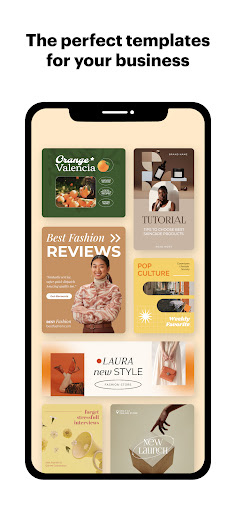
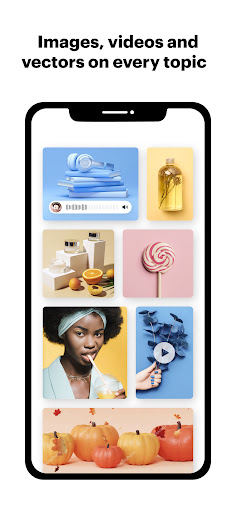
✨ With access to over 100,000 templates and simple tools, you can produce professional graphics in minutes, not hours. ⏱️ Join more than 1 million users already crafting awesome content for ads, social media, and more! 🚀 Download now and let your business shine! 🌟

Template Galore

Explore a vast library of over 100,000 professionally crafted templates for every purpose, from social media posts to promotional flyers. Ideal for small business owners and marketers who need quick, top-quality visuals without a designer. Let your creativity flow! 🎨✨

Background Eraser

Quickly remove photo backgrounds in seconds, making your product shots or portraits pop. Perfect for online sellers and content creators wanting clean, professional visuals for their brand. No more messy backgrounds! 👋🖼️ Resize &

Crop Magic

Easily resize or crop your images to suit any platform, ensuring your designs look perfect everywhere. Great for social media managers and anyone managing multiple online profiles. Keep your visuals consistent effortlessly! 📏🔄

Orbit safety scan

Download confidence at a glance

Source profile checked

Package identity, developer name, category, and public listing signals are grouped before the download decision.

Install intent clarified

Users can compare screenshots, rating, downloads, and feature notes without leaving the detail page.

No registration path

The CTA is designed around a direct, low-friction APK lookup flow for repeat visitors.

Independent catalog

orbitapk separates editorial app information from official ownership claims and brand assets.

What to review before installing

1

Match the app identity

Check the name, developer, and category against what you expected to install.

2

Scan the product fit

Use screenshots and feature notes to decide whether the app solves your current workflow.

3

Compare user signals

Rating and download volume help separate established tools from niche or newer releases.

Related picks

More Art & Design apps to compare

Keep users moving with nearby alternatives instead of ending the page after the first content block.

More Apps